


Version 5.3 of the Replacement and Report plugin has been released. We've updated the design, added a save-to-a-selected-folder option, and fixed a bug with the component replacement window not working. Let's take it one step at a time.
New design
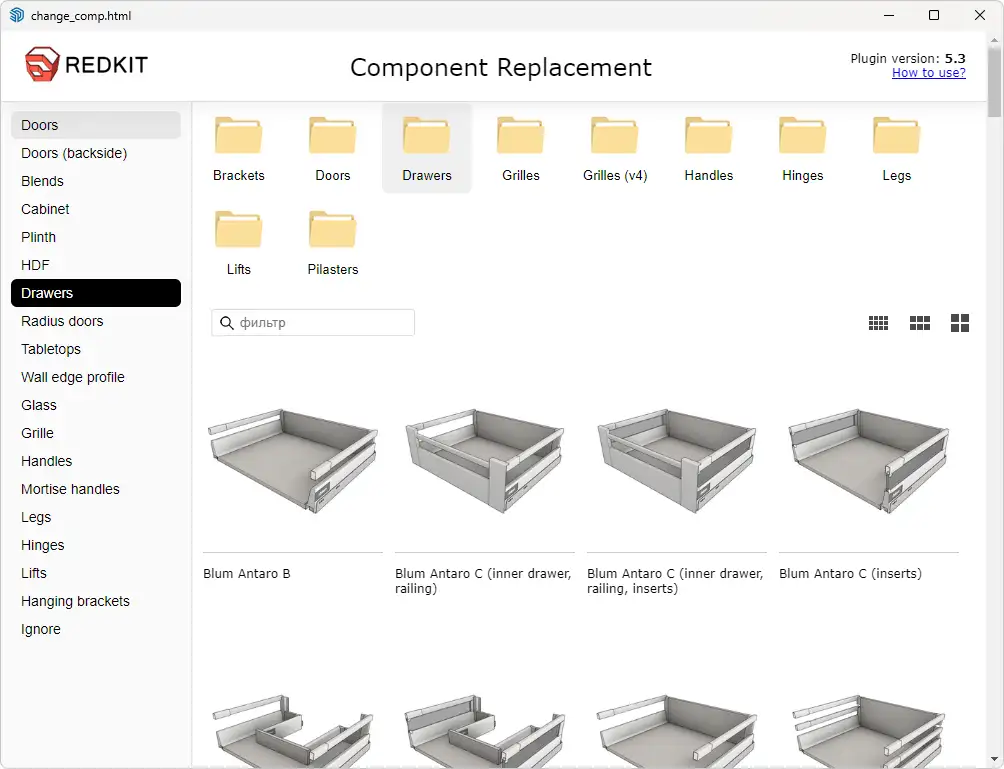
We kept the familiar layout of the element blocks, but gave them a more modern and refined design. The styling was cleaned up — elements no longer shift unpredictably and now align strictly in rows. We also removed outdated items from the left-hand list, which had been carried over since EasyKitchen version 4. Finally, the size of all blocks was optimized so the window can display more information.
Selecting a save folder
At your request, we've added a feature to the plugin that allows you to select the folder where the report file will be saved. By default, the same folder where the project was previously saved is selected. However, you can specify any other folder, and the report file will be saved there.
Real computer names
The computer names you link to your key now match the actual computer names. No more confusion with obscure IDs in your personal account.
Deleting old statuses
Due to the end of support for EasyKitchen version 4, statuses that are no longer supported in EasyKitchen version 5 have been removed from the plugin's status list. The list now only includes the relevant items.
Fixing the Components Window Error
Sometimes the component replacement window would suddenly stop working. It would appear empty, even though it was working perfectly just yesterday. We've fixed this issue. This should no longer happen.
You can download the new version of the plugin in the Repository section. The installation will only update your plugin. All components and materials will remain in place. There's no need to reinstall EasyKitchen or add-ons.
‼️Design furniture quickly, accurately, and professionally. Purchase EasyKitchen now!